Direct-answer AI for study, desk work and security code
People searching for a new AI online usually hit one of two walls with older chatbots: either the bot sits trapped in a browser tab blind to the screen and voice workflow in front of them, or it blocks legitimate technical, code, and cybersecurity questions with canned refusal lectures. Black Label builds two purpose-built systems for those exact jobs: Ace (tryacee.com) for voice, single-frame screen help, desk tasks, and 26 school workspaces, and Utah (aithatsee.com) for cybersecurity, code review, and hosted abliterated reasoning.

Free Play: 2,000 credits, no card. Ace by Black Label.

Why people go looking for a "new AI" even with big chatbots bookmarked
Almost everyone has already tried typing prompts into a standard chat window. That works well for casual trivia, yet breaks down quickly under real deadline pressure.
- Students in medicine, law, nursing, or engineering need structured case drills, flashcards, and lecture notes — not generic essay fluff.
- Office and creative workers want to hold one hotkey, speak out loud while looking at a spreadsheet or form, and hear a clear spoken answer without screenshot chores.
- Developers, sysadmins, and security analysts get tired of chatbots refusing to explain an incident payload, CVE patch diff, or PowerShell script because a keyword filter panicked.
Choosing the right tool: Ace vs Utah vs generic browser chatbots
Matching the assistant to your actual daily job avoids forcing one tool to pretend it does everything.
| What you need done today | Ace (tryacee.com) | Utah (aithatsee.com) | Typical browser chatbot |
|---|---|---|---|
| Talk out loud & get single-frame screen help on Mac/PC | Built in (Command+Shift / Ctrl+Shift) | Focused on code/security workspace & CLI | Usually manual screenshots inside a tab |
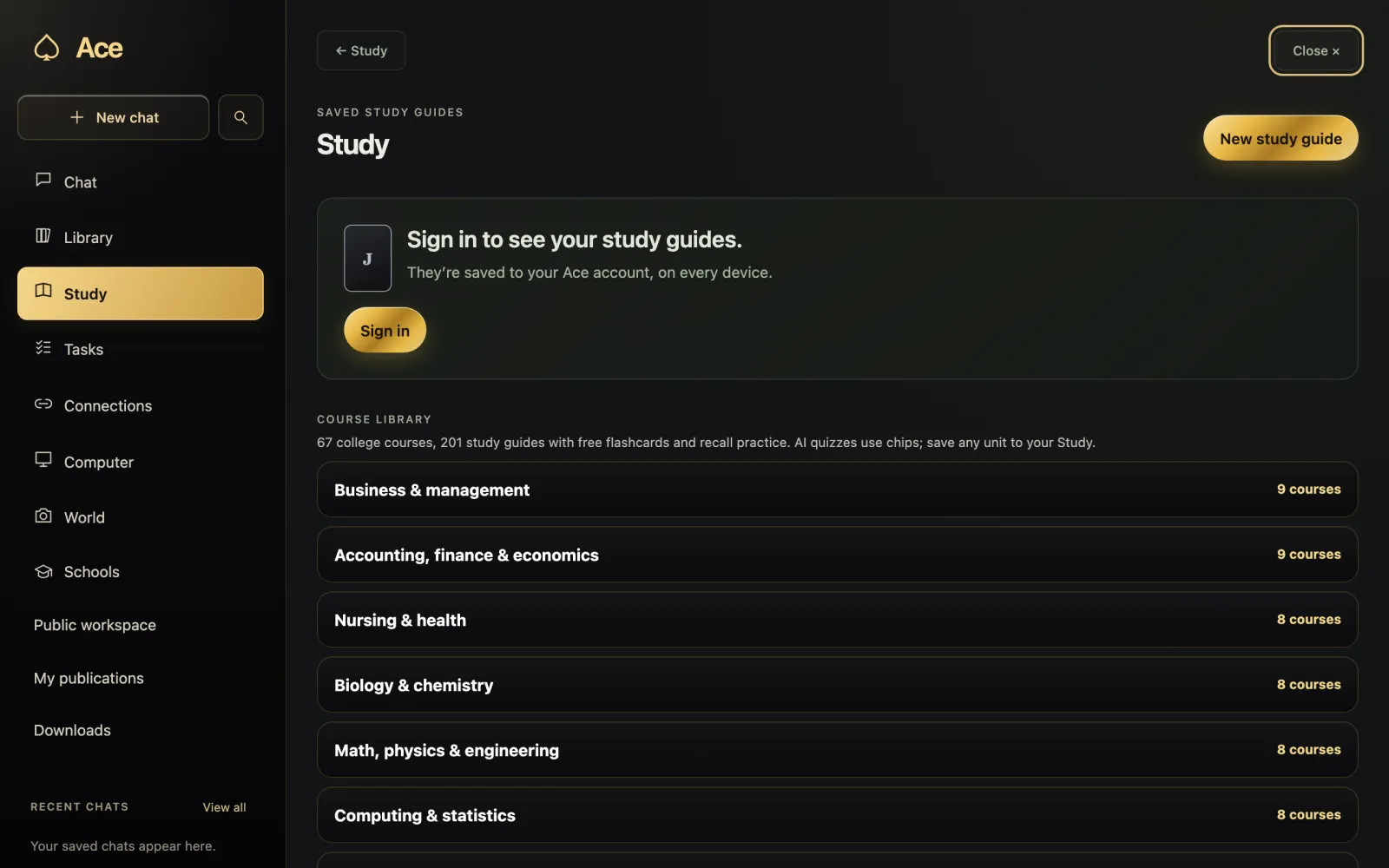
| 26 school workspaces (Med, Law, Nursing, MBA, etc.) | Built in with flashcards & practice | General technical reasoning | Generic chat unless manually prompted |
| Bring your own Claude, ChatGPT or Grok subscription | Supported on Table Pass and Private Table | Uses hosted Utah capacity packs | Locked to that single vendor |
| Cybersecurity lookup, CVE triage & abliterated code AI | Everyday coding & study help | Purpose-built (Spartan, Defense, Attack + REA) | Frequent false-positive keyword refusals |
| Claude Code, Codex, Gemini CLI & 15-tool MCP wiring | App connectors & MCP on tryacee.com | Native OpenAI/Claude/Gemini/MCP endpoints | Separate developer API billing |
How Ace upgrades everyday online, desktop and study work
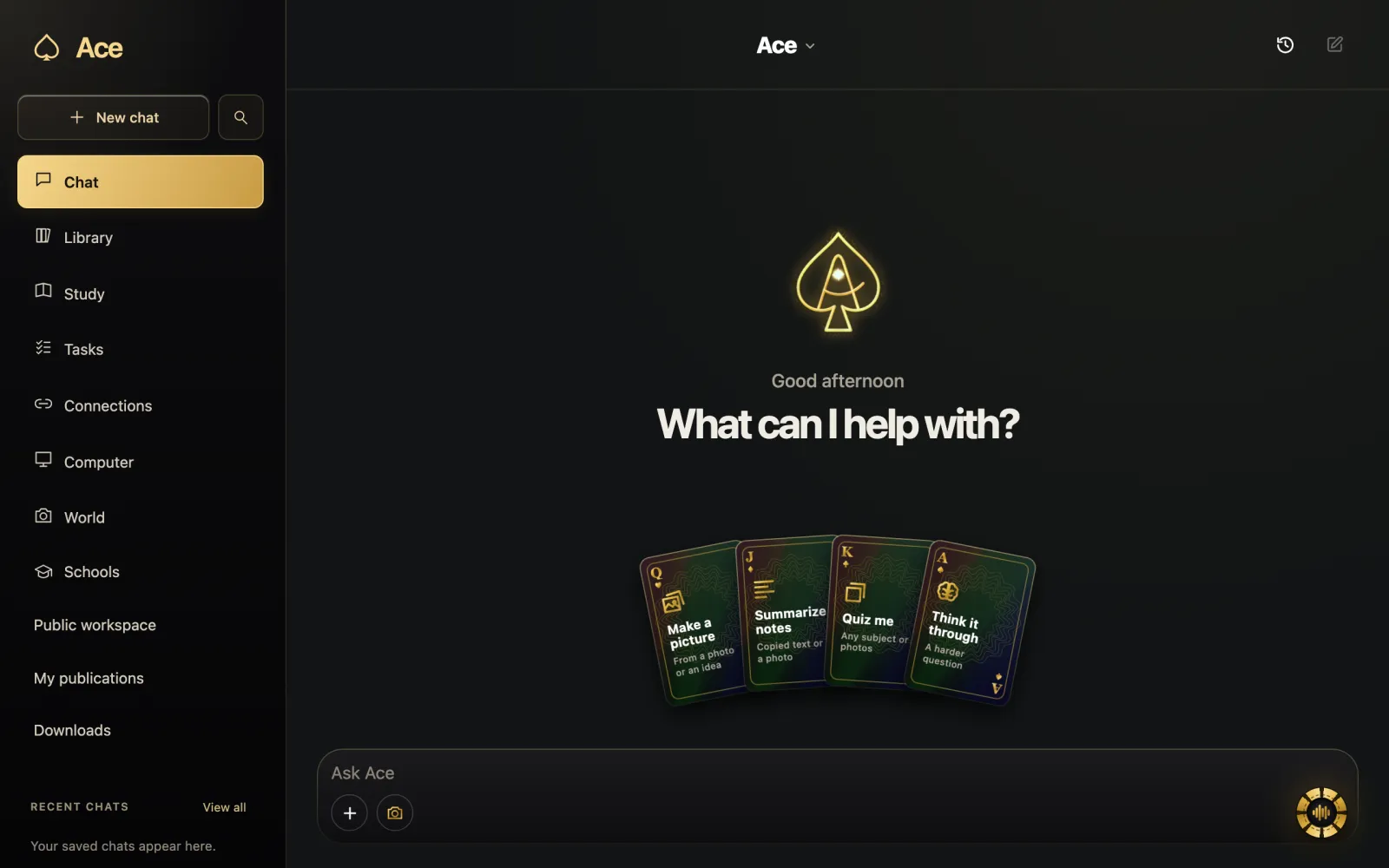
If your priority is learning faster, finishing drafts, keeping lecture or meeting notes, and asking questions about whatever is on your computer or phone camera, Ace starts online in seconds and installs cleanly when you want hotkey speed.
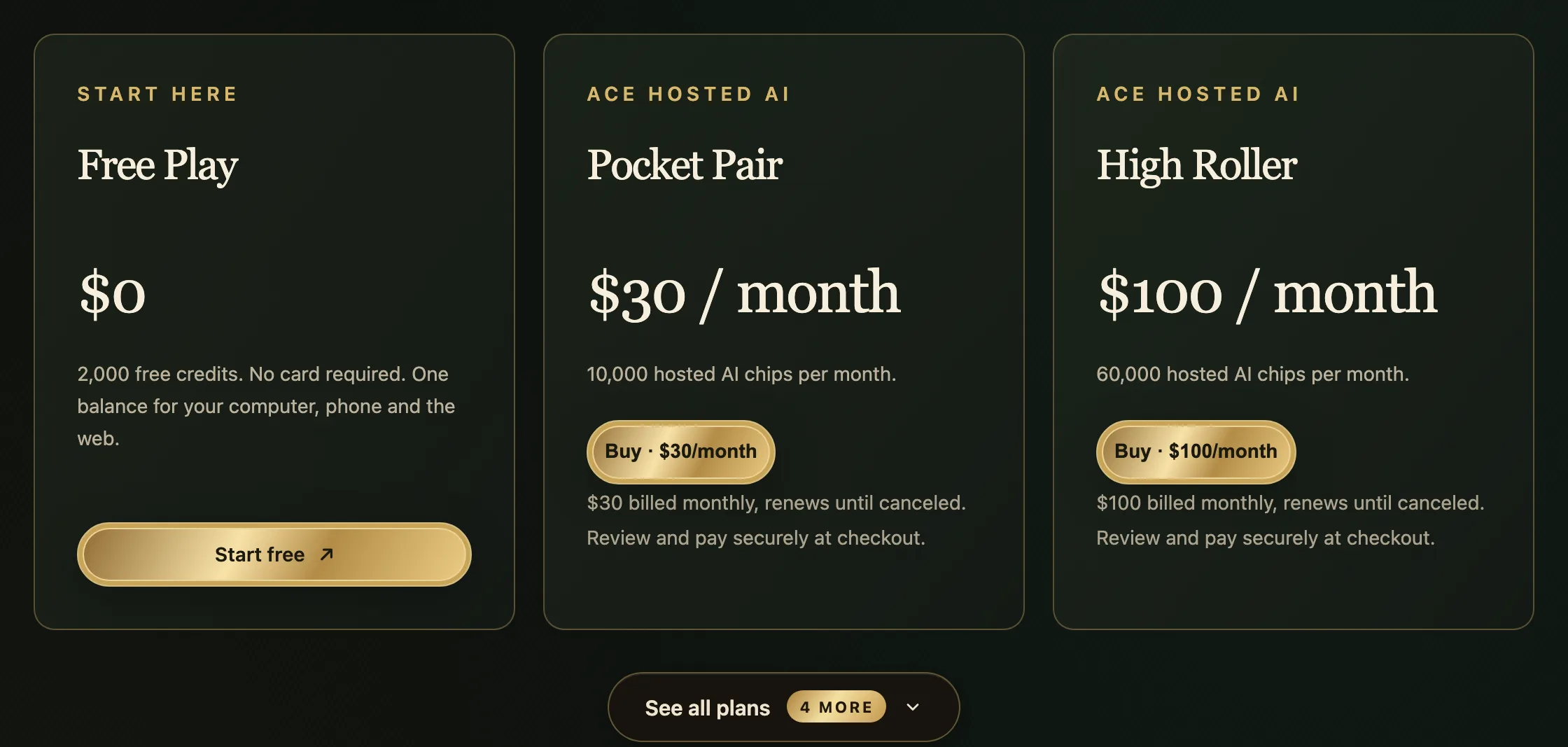
- Open tryacee.com and start on Free Play with 2,000 free credits and no credit card.
- Use Ask Ace, Study, Library, and free web tools right in your browser, or install the Mac (macOS 13+ universal), Windows (11/10), or Linux app.
- Hold your shortcut to talk or inspect one permitted screen frame, and review any lecture notes before saving them.
How Utah solves technical and cybersecurity AI refusals
If your search for a new AI online started because a mainstream assistant refused to decode an obfuscated script from a SIEM alert, audit an authentication flow, or trace low-level systems code, visit aithatsee.com.
Utah hosts managed abliterated inference in the cloud (0 Boundaries and Light speed tiers) with visible Online Thinking, non-executing binary triage, cryptographic DNS/HTTPS ownership verification before active posture scans, and one-time capacity packs with no recurring monthly lock-in.
Clear pricing and honest boundaries across both platforms
Both platforms publish straightforward terms without hidden auto-captures: Ace’s AI is hosted online (starting free with 2,000 credits, plus Starter $10 chip packs and monthly seats on tryacee.com/pricing), and all OS microphone/screen permissions remain revocable.
Start with Ace Free Play at tryacee.com for voice, screen, and study — or open aithatsee.com if your workload is code and cybersecurity engineering.
More from Ace
The full overview of what is new about Ace is on tryacee.com/new-ai. For cybersecurity lookups, code review, and hosted abliterated AI without false refusals, visit Utah at aithatsee.com.
Also asked
Is Ace free to try online without installing anything first?
Yes. Signing up at tryacee.com gives you 2,000 Free Play credits with no card, and the web workspace works immediately before you even install the desktop app.
What should I use when mainstream AI refuses my cybersecurity or coding question?
Use Project Utah at aithatsee.com, Black Label’s technical workspace built for direct engineering answers, AppSec review, and ownership-verified security testing.
Does Ace include dedicated study tools for medical, law and nursing students?
Yes. Ace includes 26 school tracks with subject-specific practice, saved study guides, and flashcard decks.
What is the difference between Ace and Utah?
They are two purpose-built systems from Black Label for different jobs. Ace, at tryacee.com, is for voice, single-frame screen help, desk tasks and 26 school workspaces. Utah, at aithatsee.com, is for cybersecurity, code review and hosted abliterated reasoning. Start with Ace for voice, screen and study, or open Utah if your workload is code and cybersecurity engineering.
Who needs a direct-answer AI instead of a standard chat window?
People whose work breaks down in a standard chat window under real deadline pressure. Students in medicine, law, nursing or engineering need structured case drills, flashcards and lecture notes. Office and creative workers want to hold one hotkey, speak while looking at a spreadsheet or form, and hear a clear spoken answer. Developers, sysadmins and security analysts get tired of chatbots refusing technical questions.
Does Ace need screenshots to answer questions about a spreadsheet or form?
No. Talking out loud and single-frame screen help are built into Ace: hold Command+Shift on a Mac or Ctrl+Shift on Windows to talk or inspect one permitted screen frame, and Ace answers out loud. A typical browser chatbot usually needs manual screenshots inside a tab.
Which computers and phones can I install Ace on?
Mac, Windows and Linux computers, plus phones. Ace runs on Macs on macOS 13 or later, Apple silicon or Intel, with a universal Mac download, on Windows 11 and 10, on Linux as an AppImage, and on phones through Ace Mobile. Free Play starts with 2,000 free credits and no credit card.
Does Utah check that I own a system before a security scan?
Yes. Utah runs cryptographic DNS/HTTPS ownership verification before active posture scans, and its binary triage is non-executing. It hosts managed abliterated inference in the cloud with visible Online Thinking, and Black Label describes it as a technical workspace built for ownership-verified security testing.
Is Utah a monthly subscription?
No. Utah sells one-time capacity packs with no recurring monthly lock-in, and it hosts managed abliterated inference in the cloud in 0 Boundaries and Light speed tiers. Ace is priced separately: it starts free with 2,000 credits, with Starter $10 chip packs and monthly seats listed on tryacee.com/pricing.
Can I connect Ace or Utah to Claude Code?
Yes, both have a route. Ace runs a remote MCP server for any client that speaks MCP, and its developer page gives the claude mcp add command for Claude Code. Utah, at aithatsee.com, offers native OpenAI, Claude, Gemini and MCP endpoints instead.
Where can I get a direct AI answer without making an account?
On Ace’s free Ask AI page, with no account, no sign-up and no email, for up to 5 questions a day. The AI leads with a short, direct answer and then a little explanation, usually in a few seconds. Each answer stands on its own, and the tool does not remember your last question.
Does Ace’s free AI math solver show the steps or just the answer?
It shows the steps. Ace’s free AI math solver works a problem out line by line, then puts the final answer on its own last line, starting with “Answer:”. It can get arithmetic wrong or skip a step, so check each line and confirm the final answer with a calculator. You get 5 free problems a day with no account.
Can Ace write a draft straight into my document?
Yes. Give Ace the subject, source material and format, then watch it write in your document and keep editing the result yourself. You can talk to Ace or type the request, and it works with what’s on your screen and in the apps you use. You can also try a request like “Draft the reply and I’ll read it before it goes.”
Does Ace’s free Ask AI know today’s news or live prices?
No. Ask AI cannot browse the web, so it does not know today’s headlines, live prices, sports scores or opening hours. Its answers can be wrong, most often about recent events, exact figures and very niche topics, so check anything important against a source you trust.
How do I ask follow-up questions after a direct AI answer?
Use AI chat instead of Ask AI. Ask AI answers each question on its own, while Ace’s free AI chat page lets each reply see the earlier messages in that chat. You can say “shorter”, “give me an example” or “what about the second point?” It allows 5 chats a day, up to 6 messages each, with no account.
Does Ace explain a homework problem from a photo or my screen?
Yes. Ace explains the problem on your screen, and you can point it at the textbook page or homework problem so it explains the step you are stuck on. On your phone, Ace Mobile can take a photo of the question instead. The free homework helper page cannot see photos or worksheets, so there you type the question out.